Buy Bobcat Miner from the official website: https://www.bobcatminer.com.
-
How many HNT I can mine everyday?
- It depends, please see No.2. I’ve helped many friends to tune up their Bobcats to mine 200 HNTs monthly
from 0 or almost 0 (some only has Challenger income).
- It depends, please see No.2. I’ve helped many friends to tune up their Bobcats to mine 200 HNTs monthly
-
What’s the most important thing to increase your income?
- Fully synced.

- No Relay!

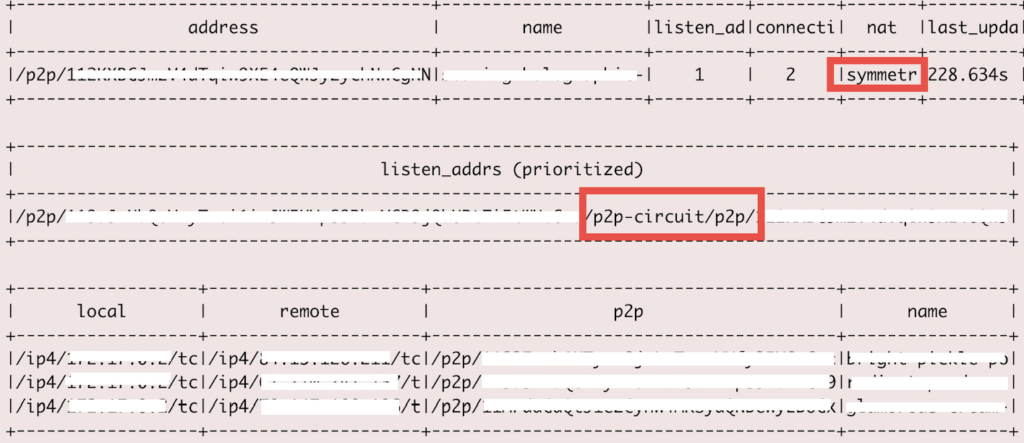
- When your Miner is relayed, the listen_addrs is p2p-circuit, depends on the Miners connecting to you, it may be very slow and a lot of timeout can be seen in the log. Your Miner may have caught beacons from many other miners but can’t send the witness out due to timeout.
- A sample peer book of relayed miner.
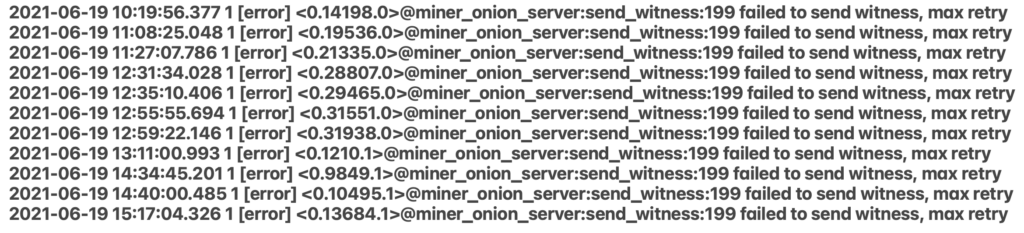
- It was heart breaking when I saw this in a miner. So many witnesses lost!
- Network Speed!
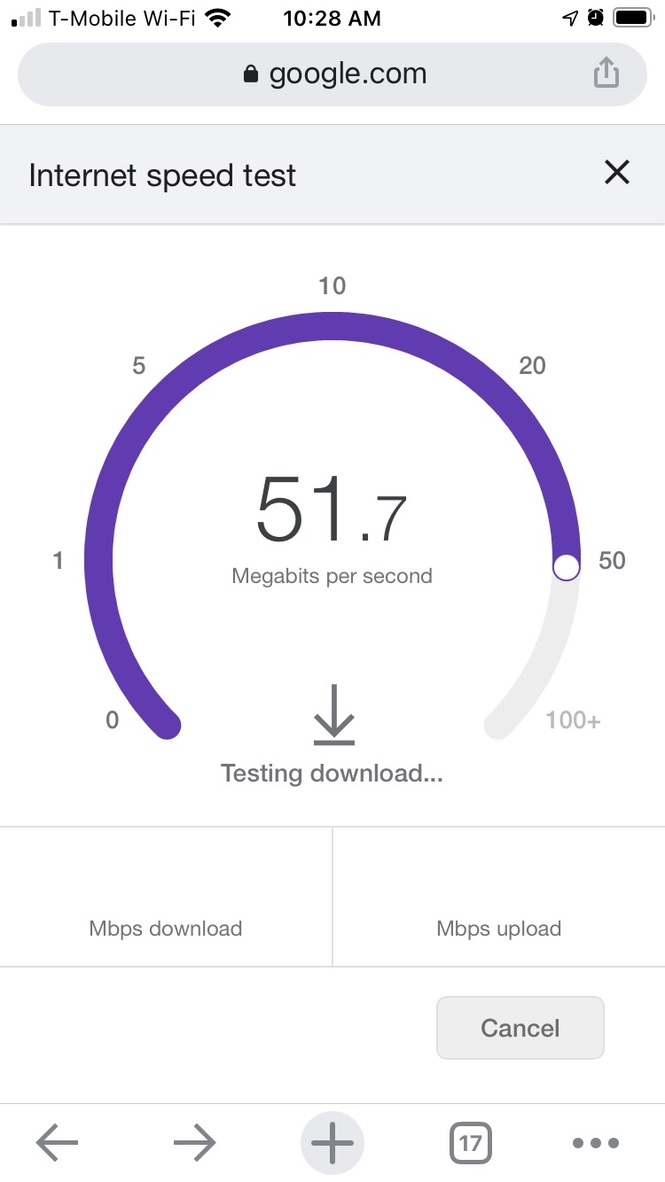
- On your phone, google “Internet speed test”. If you are using WiFi, test at exactly the same location as your Miner. Make sure your network speed is fast (100M will be perfect).
- Test sample.
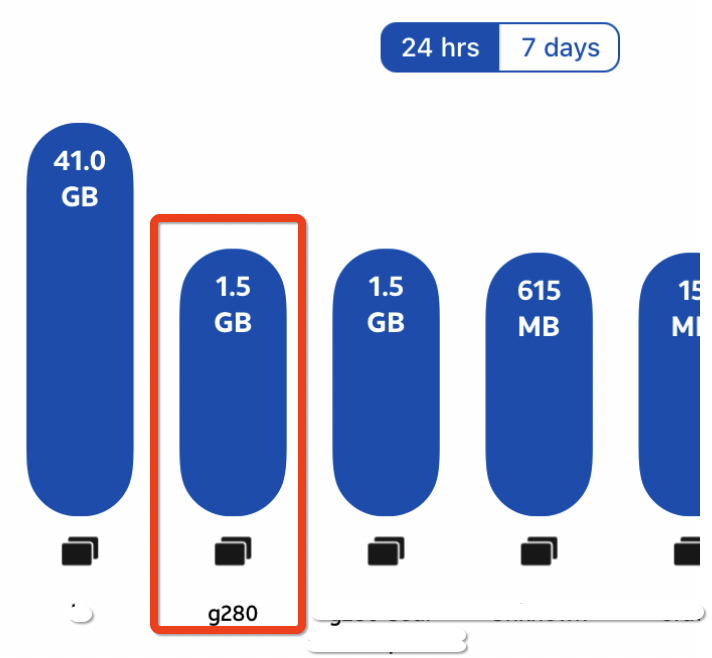
- FYI, your Bobcat hotspot name will be g280. It needs about 1.5G data usage per day.
- Tune your Antenna.
- This is very complex but I’ll try to explain a little bit. Is dBi larger the better? NO. Please see the image below.
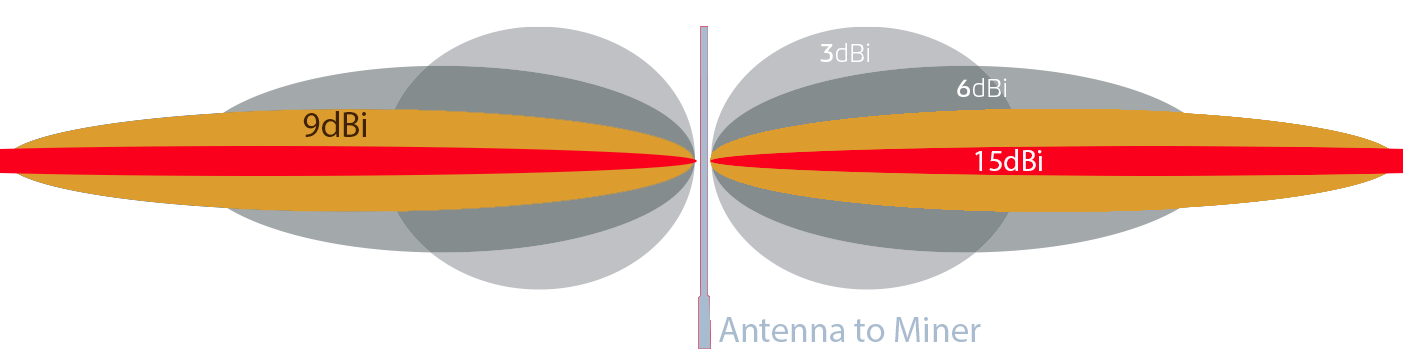 It depends on where your Miner is located. If you are on the mountain and there are very few Miners nearby, you should choose a high dBi Antenna to reach miners in the city. Basically in this case, a directional Antenna will be better to cover one side.If you are in a city where there are a lot of Miners nearby, you should choose a lower dBi Antenna because the witness RSSI quality is very
important to your income. The Bobcat’s Antenna dBi is 4, it’s a good balance of distance and coverage. High dBi Antenna can talk futher but RSSI quality is not good in many cases. You may see a lot of invalid witnesses even if it’s near your Miner. That is one of the reason that some miners have a lot of witnesses but income lower than expected. A very good witness can eary a lot: A weak witness only
earn a bit. A bad witness won’t earn anything due to below lower bound error (sometimes network error).
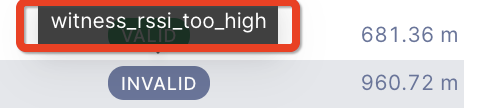
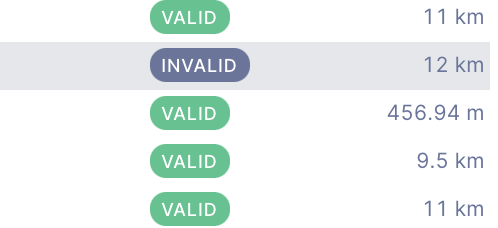 What will happen if your signal is too strong? Maybe you will be punished. When the witness rssi is too high, it’s possible that you are putting multiple Miners together and asserting fake addresses. In this case, it’s possible you loss the beacons or your scale becomes lower and lower. I’m not sure if it can be recovered but there’s a score to affect your income. Even your miner is working now, you will loss income with the upgrade of the blockchain.
  Now, where should you locate your Antenna? It depends. It’s best to connect the antenna to your
Miner without any cable. But because most of the Miners are indoor only, you will need a cable
to connect to your Antenna to get best RSSI. But keep in mind that the longer the cable you use,
the more dBi loss. Below is a calculator to help you calculate it. - How should I choose the Cable?
It depends on your Antenna dBi, the length of the Cable and the distribution of miners around
you. To achieve the best Signal, you can choose a cable with fewer loss for example GB58(thin),
LRM400(thick). But keep in mind the best SNR doesn’t mean a good thing, a bad RSSI and SNR
combination will cause your witness be invalid or very low HNT. Testing Antenna is difficult.
There are many factors. I’m tesing over 20 types of Antennas for now and will keep updating this
Tuning page. To find the loss of your cable, please use the calculator above. - Then how should I choose the Antenna? To be continued.
- Where should you locate it? To Be Continued.
- This is very complex but I’ll try to explain a little bit. Is dBi larger the better? NO. Please see the image below.
- Take care of your Cash Cow.
- To Be Continued.
- How many HNT should be the Max for my settings? Estimate it.
- I’m only using Bobcat for test purpose. Changing network settings and Antennas frequently. I
tried to leave one Bobcat there for 3 days, the daily average HNT was about 7 HNT per day. It’s
a very normal location with averaged miners around it. But everyone has different situation.
Just FYI. To Be Continued.
- I’m only using Bobcat for test purpose. Changing network settings and Antennas frequently. I
- Fully synced.


17 replies on “Tuning your Hotspot”
Hi,
How do I get access to the CLI above to see the peer book? The screen looks similar to those of validators, so am keen to see the miner version.
You can DIY your own Miner using the Helium miner image which is open source to everyone. For now, it works but can’t earn HNT anymore.
How can I find the best cable to run on my miner? I dont see that listed
It depends on your Antenna dBi, the length of the Cable and the distribution of miners around you. To achieve the best Signal, you can choose a cable with fewer loss for example GB58(thin), LRM400(thick). But keep in mind that the best SNR doesn’t mean a good thing, a bad RSSI and SNR combination will cause your witness be invalid or very low HNT. Testing Antenna is difficult. There are too many factors. I’m tesing over 20 types of Antennas for now and will keep updating this Tuning page.
I have to use Powerline Adpaters to be able to get ethernet cables outside instead of running it through the walls. I tested the speed and its only 20-30Mbs. Is this bad? Since it is ethernet is this better than wifi because it is directly connected and possibly more “reliable” than having a slightly faster wifi
In your case, I think WiFi will be better if it’s speed is faster than the cable. The speed is OK if you have few peer connections at the same time. Low Latency is important. You can set the priority of your Bobcat to high in your router if it supports device priority. Your test speed 20M doesn’t mean your Bobcat can always get this speed if multiple devices connecting to the same network.
Okay thank you for the feedback. So if wifi is better that is fine but have only 20-30 Megabits per second is enough for a good connection?
IMO the speed should be OK. The Bobcat g280 averaged 24h usage is about 2GB.
Hi, my neighbour have a relayed hotspot and has an antenna of 1.2DBi and lives on the 1st floor and has 86 witness. He earns about 6.5 HNT a day! I have a bobcat miner at 24m, with a 4DBi antenna, only 19 witness and earn around 1,5 HNT a day.. If I look into your troubleshooting question how to increase my HNT I could say: Good Location = CHECK / High Enough = CHECK / Online = CHECK / Synced = CHECK/ Non-Relay = CHECK / Strong Signal = CHECK/ Good Network CHECK/ Lucky.. well I am pretty sure the conclusion is that I am unlucky and my setting is following the instructions but the result stays out… what advice do you have?
Firstly, it’s not a 1.2DBi Antenna. He just didn’t update the Antenna information in the App. Maybe you have some loss between your Antenna and the hotspot. Yours is not as higher as your neighbour, maybe the buildings / trees / something is blocking signals. Maybe your reward scale isn’t same as his too.
My neighbour lives on the 1st floor, I live on the 8th floor so 24m high. Maybe you are right, his antenna will be a higher DBi. The hotspot and the antenna are next to each other. I didn’t put my antenna outside, maybe I can try that? After my window is a terrace with iron frames, maybe that could block the signals? It’s pretty strange that he gets so many rewards with a relayed hotspot. Very demotivating after my investement.
You have a good location. Just need to move the Antenna outside the window. Blockage on windows can also reach -4db. Mental can drop more signal. You can try it temporarily for 2 or 3 days first.
I have put my antenna outside the window and see a significant difference in witness. Thanks for your help.
Can you please delete my post with my name: Joeri Dauwe, I don’t want anyone when they look up my name to see these comments.
Hi,
I upgraded my antenna from 4dbi to 5.8 dbi on my roof and I used 10m (length) LMR400 cable. its been almost 3 days now there is no witness even though there are lot of miners around me. Its location is good too with clear line of sight and it sent out 3 beacons at first day since then no beacon either. My hotspot got a challenger reward at 2nd day since then its only doing Poc challenger. Please anybody can guide me what should I do? Maybe during the process of installation antenna is broken but why it sent out beacons if its broken?
Test the WiFi speed at the same location as your Miner if you are using WiFi. Use the discovery mode in your App to do a test. Double check your RMA connectors to your Miner and the Antenna (be careful when on the roof!). If it’s OK, you can wait for longer.
I have double checked everything (Wifi, discovery mode, RMA Connectors) still no witness and its been 4 days now. There are a lot of hotspots at good line of sight and great setups around me by this time atleast i should have witness atleast one beacon from them. How long you think i should wait for? a week or 2?
Check the Pigtail, change WiFi to Cable, try to change back to stock Antenna to see if it’s the new Antenna issue.