Offline / Syncing
When your device shows Offline in the Helium App / Helium Website, firstly you need to use a computer to connect to the same LAN cable / WiFi to make sure it can access the Internet. This is the fastest way to make sure your network is good.
But there are many reasons can cause “Offline”. See Why Offline / Syncing.
Relay
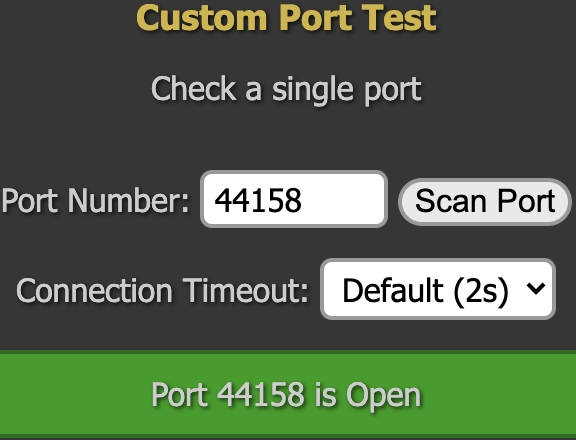
You may see Relay in Helium App or HeliumWeb. The Relay status is determined by lib_p2p. Hotspot’s connection is being relayed through another Hotspot on the network which may affect mining. If the port 44158 is closed, you’d better to open it to solve the Relay.
Use Port Forwarding to solve your Relay
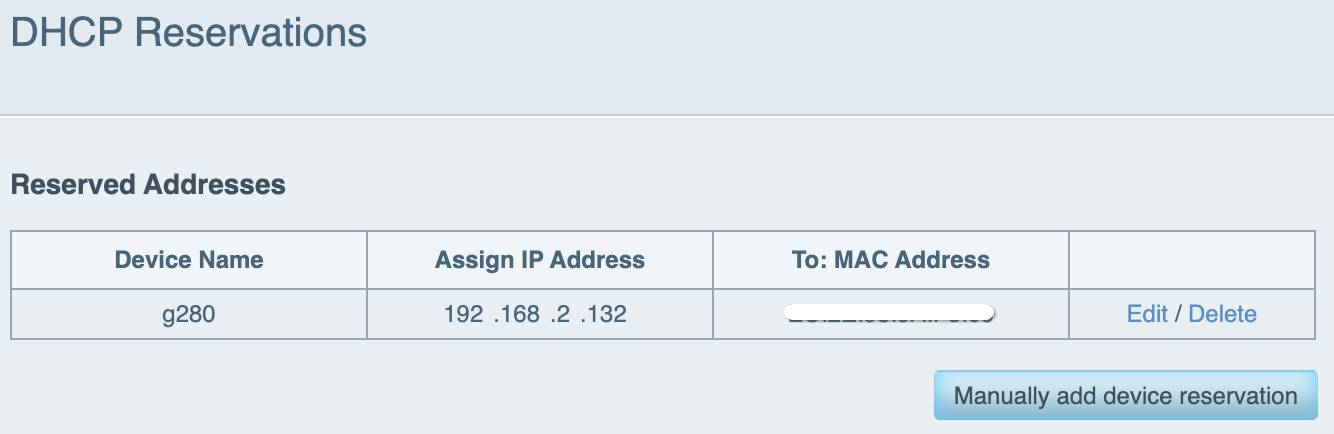
Your bobcatminer IP address every time your router restarted if not reserved.
It can be found in LAN Network / DHCP settings.
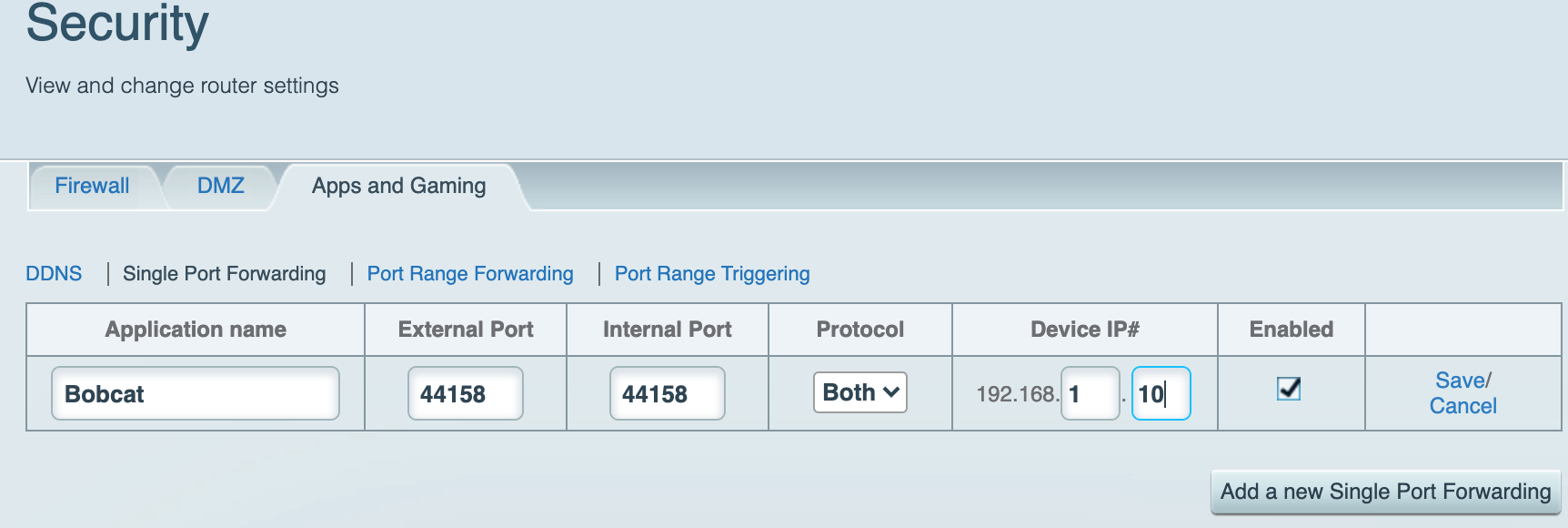
Port Forwarding
It can be found in Game / Security.
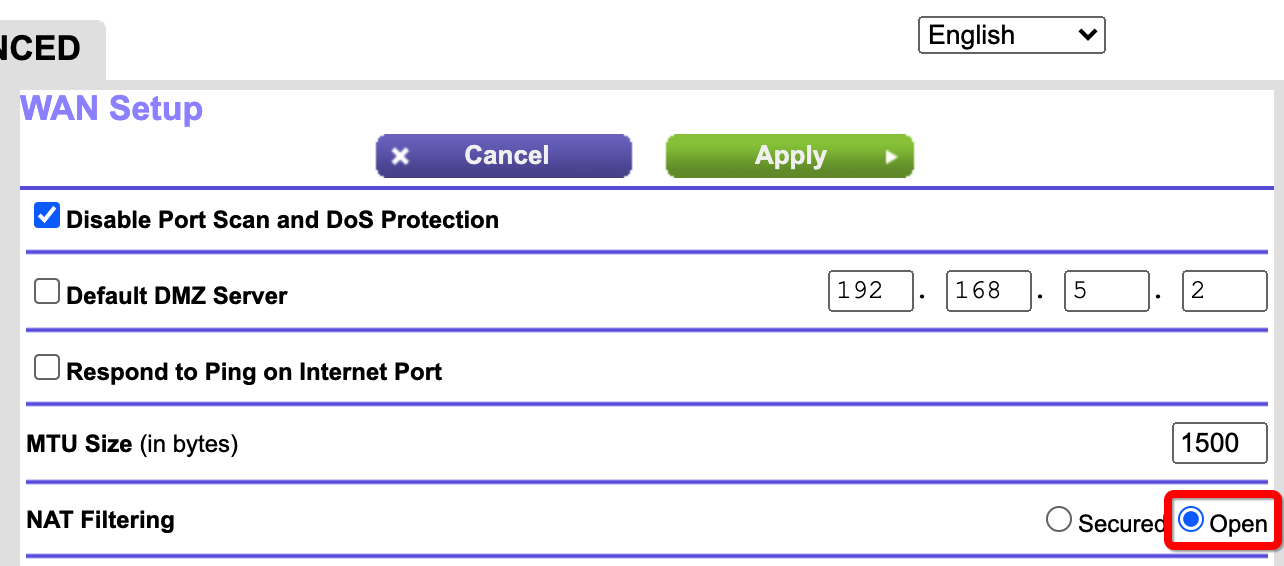
Now change your “NAT filtering” to “open”.
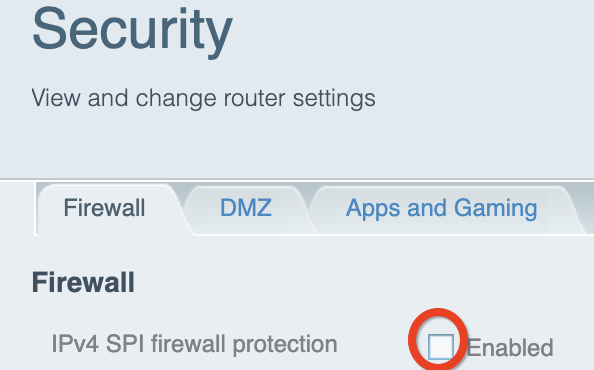
Sometimes you need to try disable your IP4 SPI Firewall in the router if you can see it.
Some routers don’t need restart but you’d better restart it if you don’t know
Enable UPnP to solve your Relay
Your bobcatminer IP address every time your router restarted if not reserved.
It can be found in LAN Network / DHCP settings.
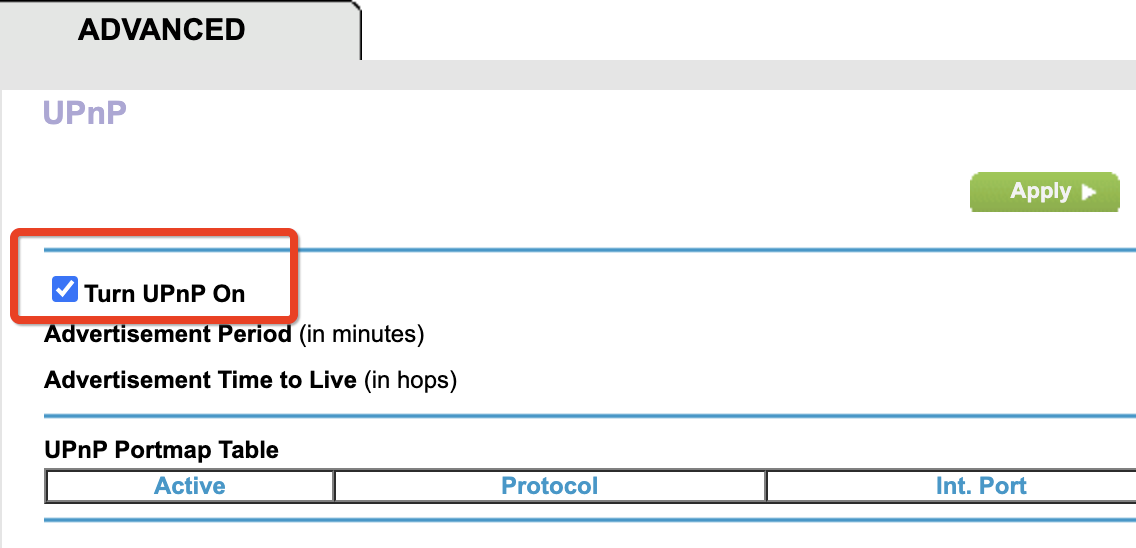
Enable UPnP
If UPnP works, after UPnP enabled, wait for more than 30minutes (depends on the advertisement period), you will see ports were added to Portmap table. If it does not work, try Port Forwarding.
Helium Miner should be able to add 44158 to Portmap table for you when UPnP enabled. See https://github.com/helium/erlang-libp2p/blob/master/src/nat/libp2p_nat_server.erl
Now change your “NAT filtering” to “open”.
Suggestions
If you are using a wireless network hotspot and you can enable UPnP, it will be convinient because the Miner will map port 44158 for you directly. But UPnP is not a universally standardized feature, and therefore does not always work as intended. Some routers don’t have UPnP and some will not work even if you enable UPnP. Enable user configurable UPnP may give all p2p softwares the ability to map ports in your router. A worm or malware program can use UPnP to compromise the security of your LAN. I recommend that you manually set up port forwarding if you can instead of enabling UPnP. However, in some cases, dynamic port forwarding is required.
Relay status inside Miner
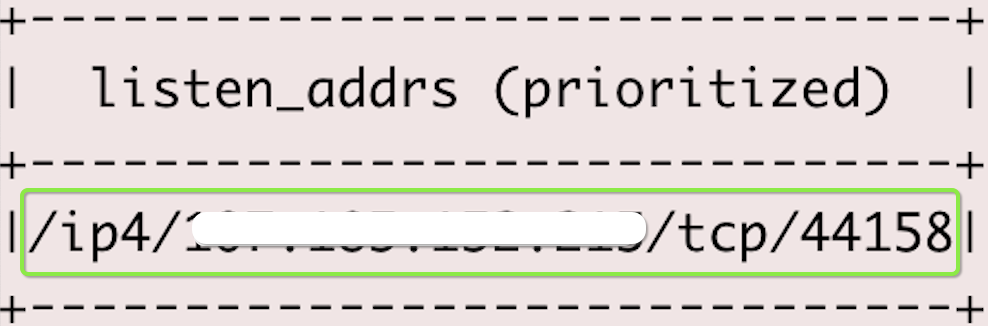


Firewall
By opening port 44158, you’ve resolved the Relay. It’s part of the firewall settings. But keep in mind a Non-Relayed Miner may not work as expected if you have a strict firewall. Some Packet Rules may filter your witness / beacon packets. If you saw Invalid Packets in your diagnose log, go to your firewall settings, add pass rules &/ disable deny rules for your bobcatminer / the second Router.
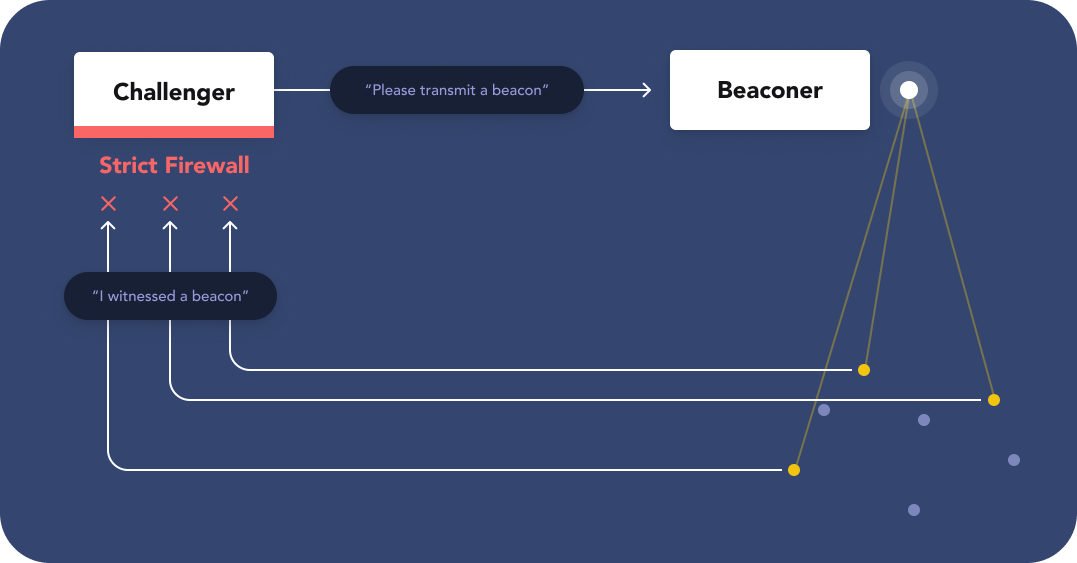

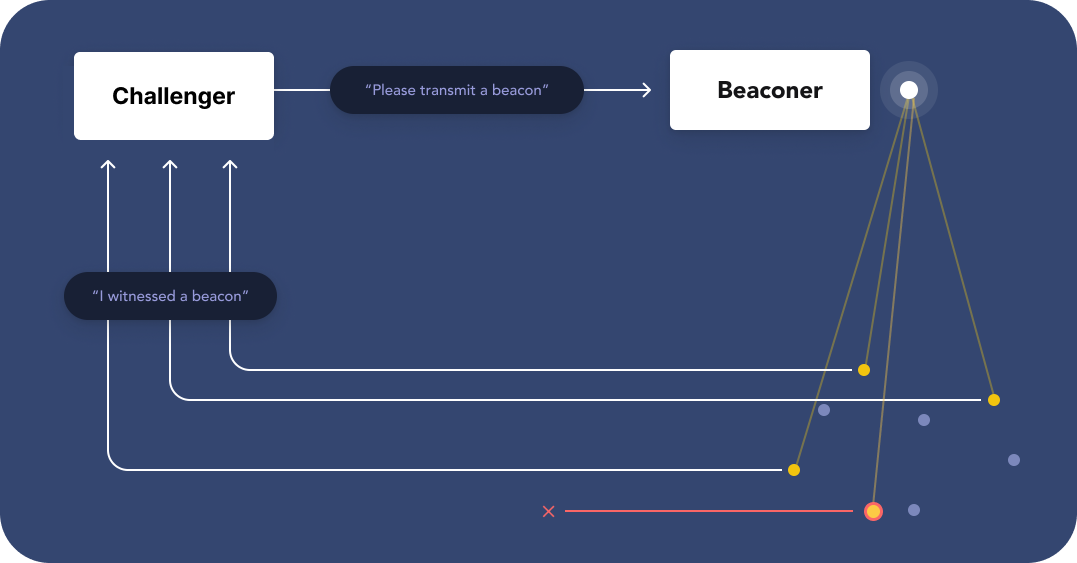
Diagrams from Helium Website, Thanks to @oktyvm for these awesome graphics!
Diagnose Log
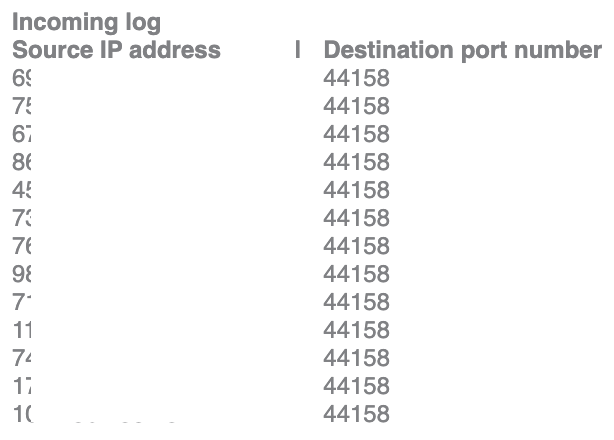
If your router has a diagnose log, enable and use it. After Port Forwarding enabled, you can see both ongoing and incoming traffic in the log right away (no reboot in most of the routers). 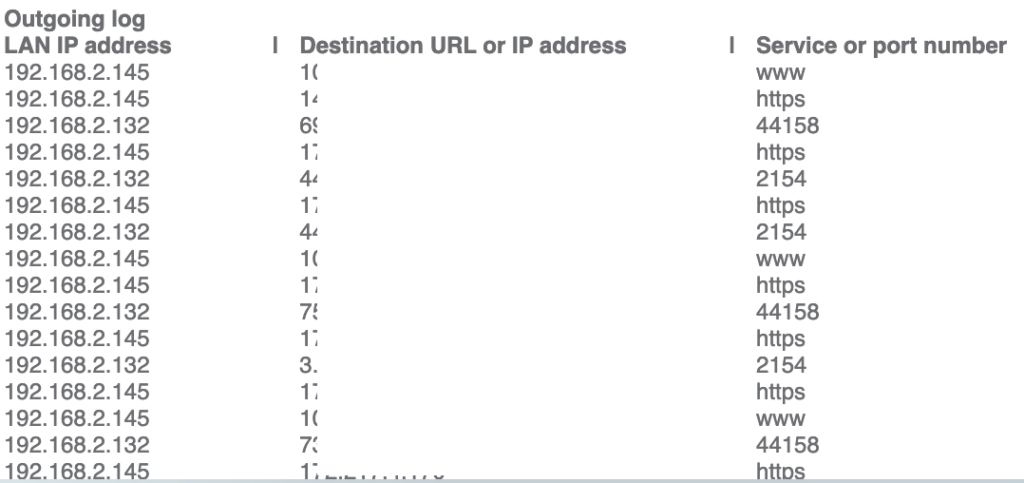
How to forget the WiFi
You’ve setup the WiFi but then you switched to the Cable. Here’s the steps to forget the WiFi using Helium Hotspot Utility App. Connect your Miner via Bluetooth, scan it and connect to the hotspot. Then follow steps below:
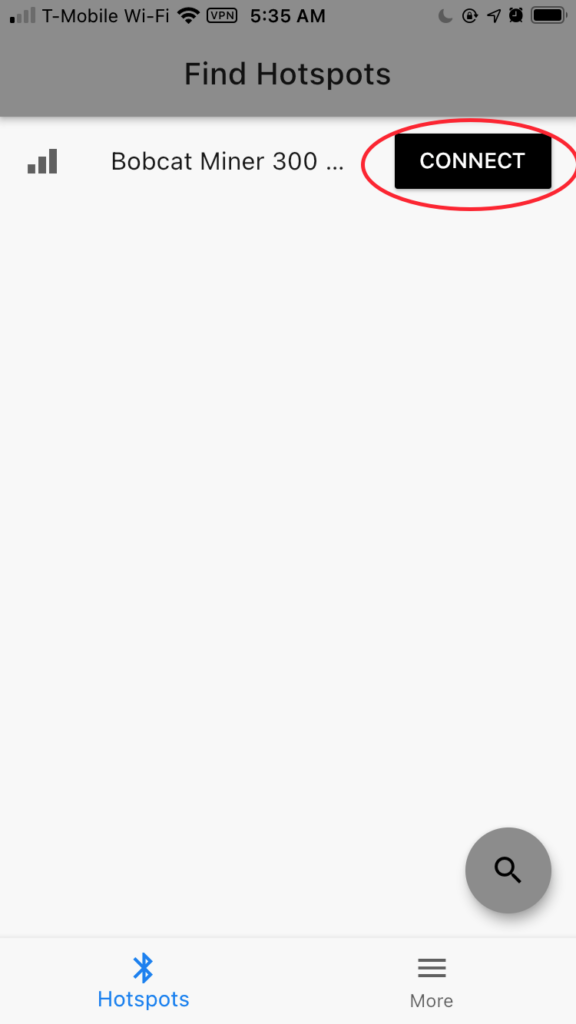
Connect 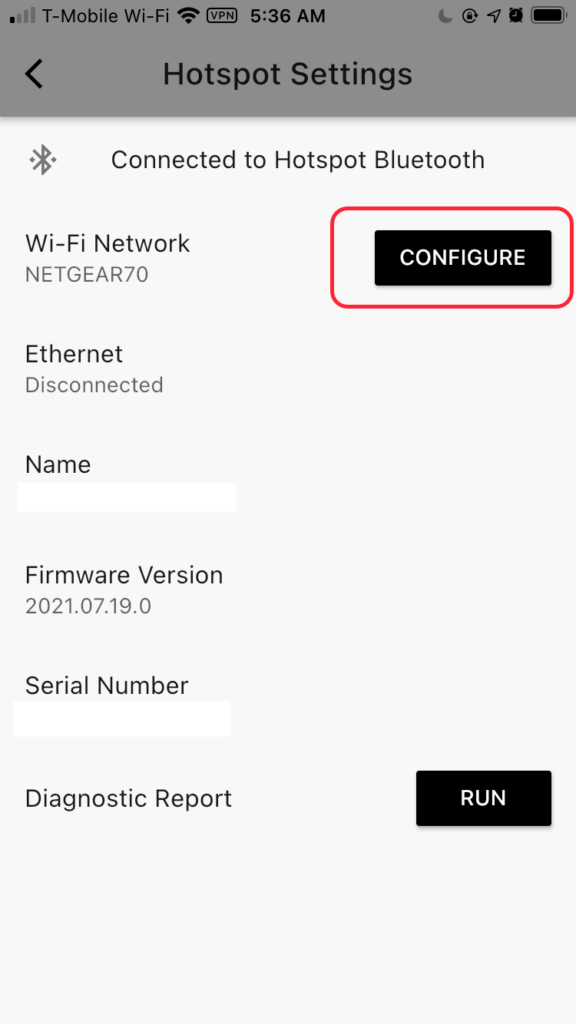
Config 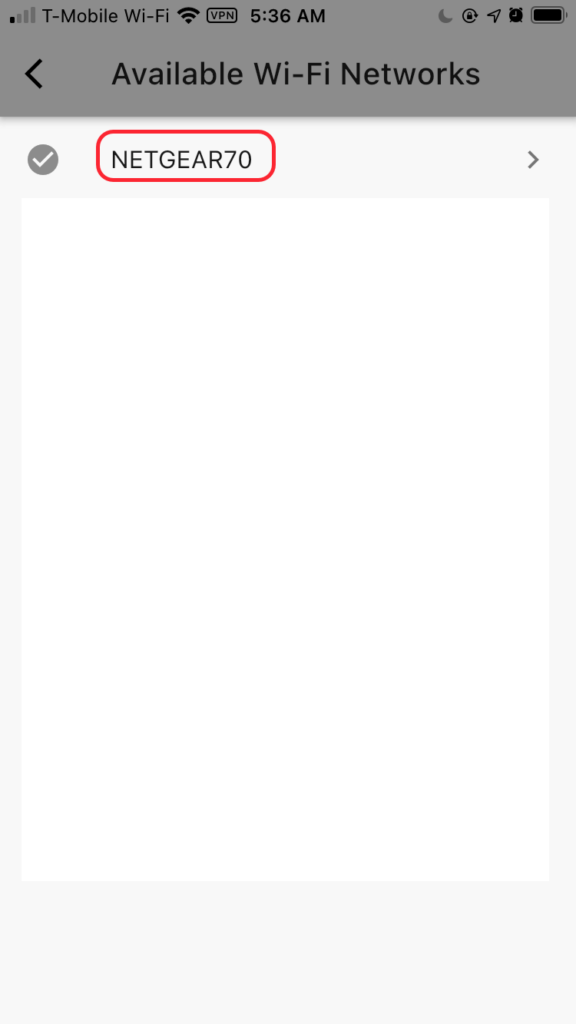
Choose current Wifi 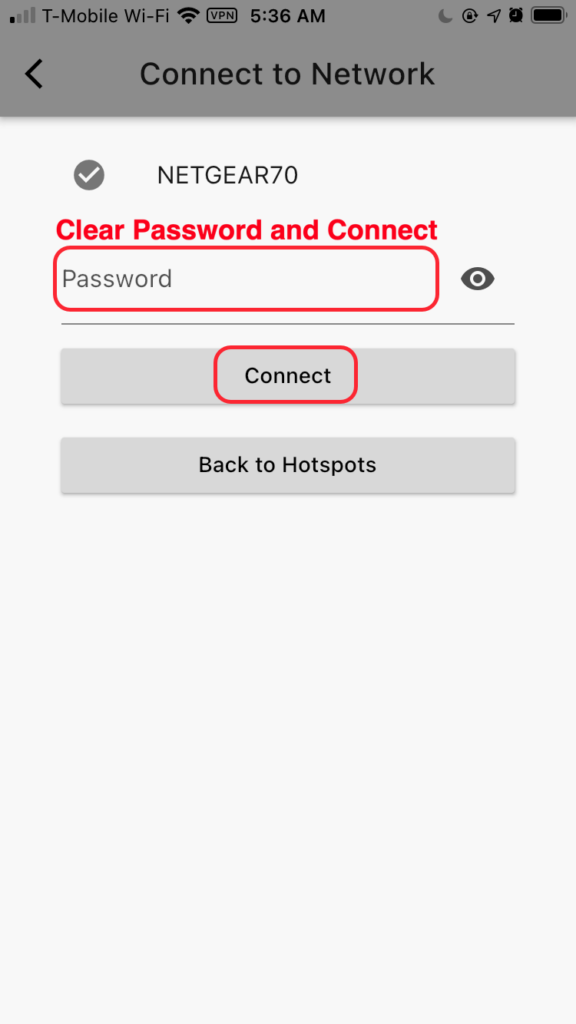
Clear password and Click Connect 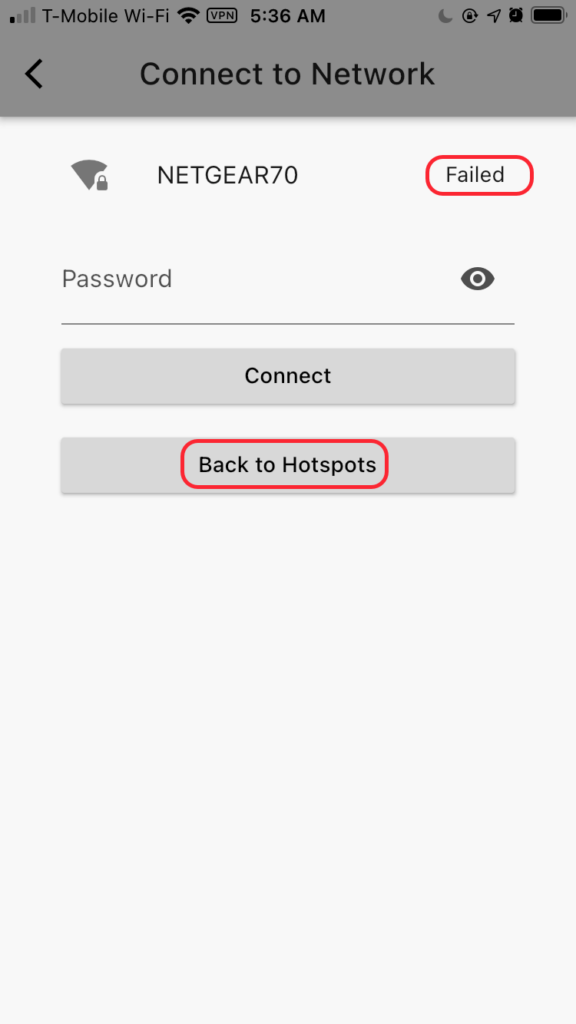
App shows Failed 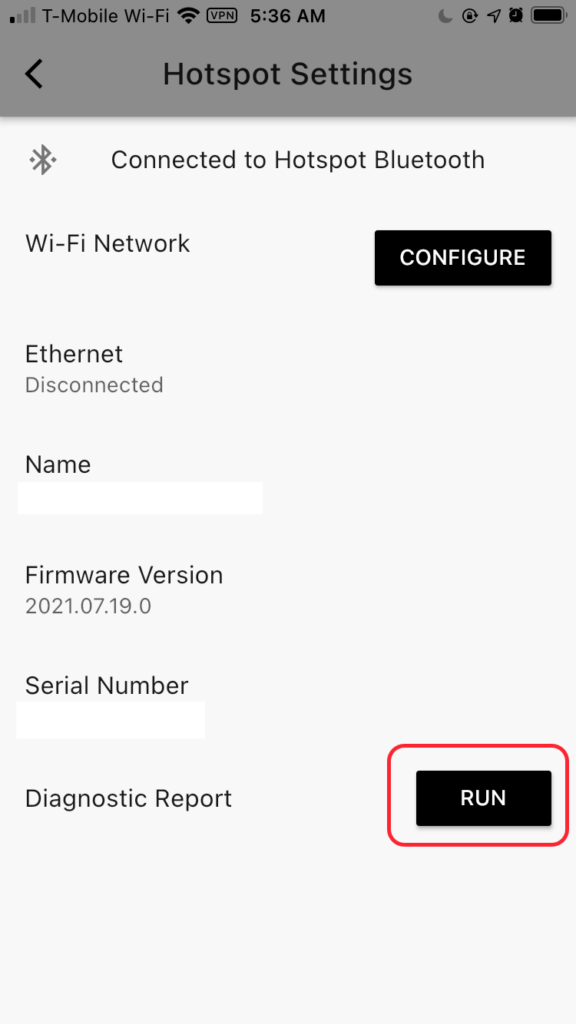
Back to hotspots and run a Diagnostic report 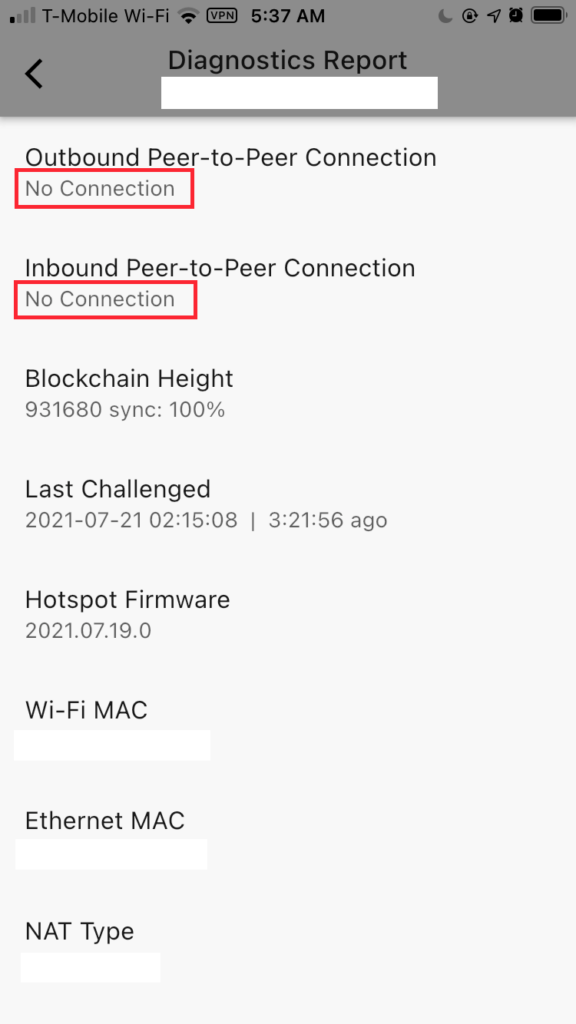
WiFi forgot
Network Speed
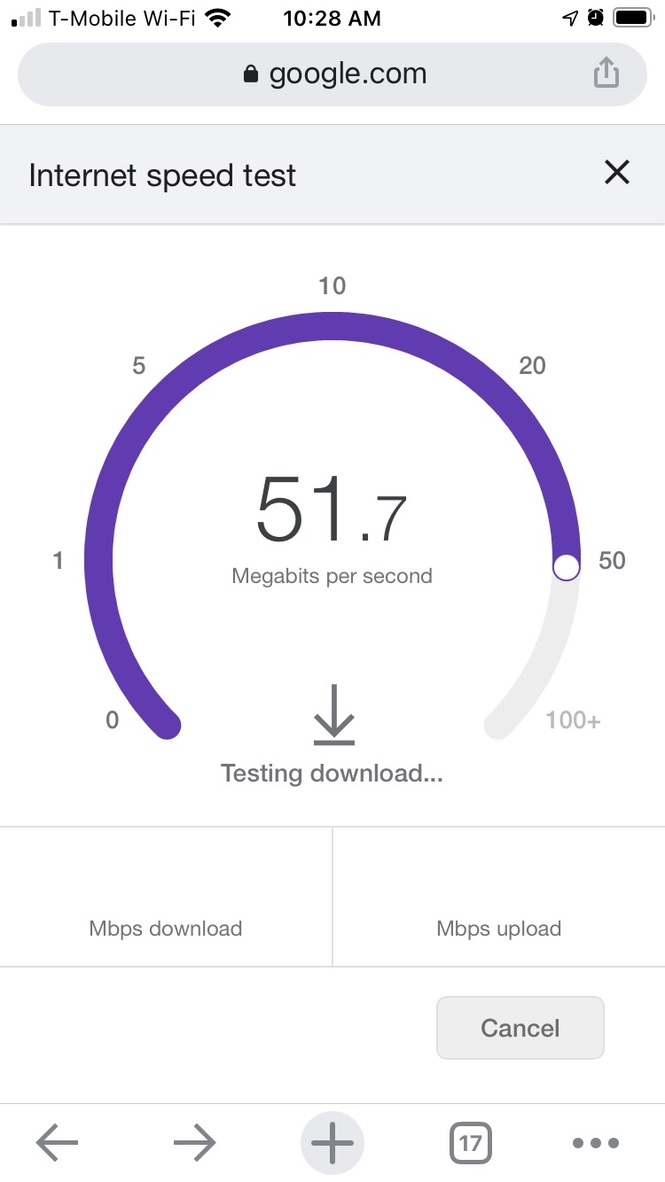
On your phone, google “Internet speed test”. If you are using WiFi, test at exactly the same location as your Miner. Make sure your network speed is fast (100M will be perfect).
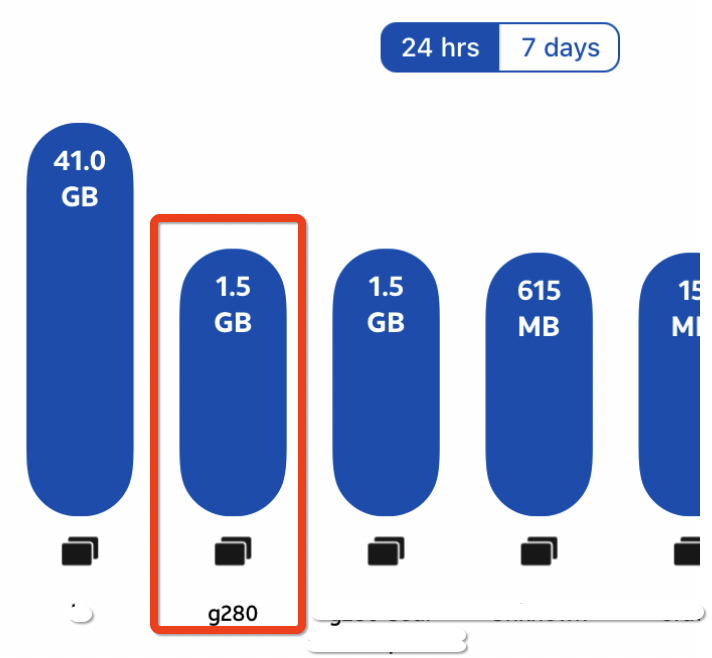
Buy Bobcat Miner from the official website: https://www.bobcatminer.com.
4 replies on “Network”
Hello, would appreciate any feedback regarding router setup. My bobcat has a lot of beacons with no witnesses, and I get invalid witnesses too. However, sometimes it works, so it seems that settings should be ok. The hotspots in my area aren’t moving around, so I am at a loss why I get so many no witness beacons. I’ve had 3 just today. Any tips on what I may want to look at to improve my witnesses? I have port forwarding on with 22, 443, and 44158 open. UPnP off.
What have you changed before you lost witnesses?
Have you changed Antenna or update location / height in the Helium App?
Or network changes? If you haven’t changed anything,
maybe it’s caused by other hotspots, they received your beacons
but wasn’t able to submit a receipt to the blockchain.
There are few hotspots nearby, you can try to move the Antenna outdoor if it’s indoor now.
If it’s indoor and there are metal door screen on your window or your window is thick,
try to move to another place. Also, since it’s Summer, pay attention to the temperature of your hotspot.
I have not moved the hotspot (unless you count a few inches here and there) and nothing has changed, but I have always had issues with zero-witness beacons. Interesting you mention the window thickness, it is double-payned, however it is the best window I have for location.
I have been trying to find out more information on how weather and sun affects the antenna, and have unsuccessfully tried to chat with bobcat support. I do want to move it outside, but I am unsure how the sunlight / temperature would affect it, and when winter comes, we have -40C temps possible. If I mount on my roof, I intend to leave it there. Right now, I have inside to ensure it doesn’t get damaged although it is still in direct sunlight in current location.
To answer your question, I created another two pages FYI.
http://15z.7df.myftpupload.com/bobcat-outdoor-enclosure-test/
http://15z.7df.myftpupload.com/diy-enclosure/