My hotspot shows RED light
RED light means your Miner isn’t started. Miner is a docker process in your Bobcat machine. If it has been less than 5 minutes, it’s OK because maybe it was caused by a restart after an OTA update. If it lasts several hours, maybe it got stuck during the OTA, you can try to restart it. If the light is still RED, you need to contact your hotspot maker to get support. See Why Offline / Syncing.
My hotspot shows YELLOW light
YELLOW light means that Miner has been started but it can’t connected to the Internet. If it’s only been several minutes, it can be caused by OTA update, Network disconnection or some other network issues. For network issues, please see Network.
If it’s been several hours, it could be stuck on a block when syncing. In this case, pay attention to the Helium update announcement, maybe the new snapshot update will help. If it’s not working, try restarting your Miner or waiting for an OTA update from your hotspot maker. It may also cause Offline status in Helium App. See Why Offline / Syncing.
My hotspot shows WHITE light
The Firmware is being automatically updated. This can take several minutes and will go back to Green once it completes.
My hotspot shows BLUE light
BLUE light means the bluetooth is in match mode. You can connect to Bluetooth and do a diagnosis. If it doesn’t disappear, restart the Miner.
My hotspot shows CYAN light
Investigating. The only information found: https://github.com/helium/blockchain-core/blob/9011de7537ecfd737074b85b7b16e7d8e1ceef00/test/blockchain_hex_SUITE.erl#L343 . It was said that the bluetooth is still in Pair mode but some miners entered CYAN color directly right after miner restarted. It should be a state between YELLOW and GREEN. It works but not 100%.
My hotspot is RELAYED
See Network to solve the Relay.
The Helium App / Web Page shows “Offline“
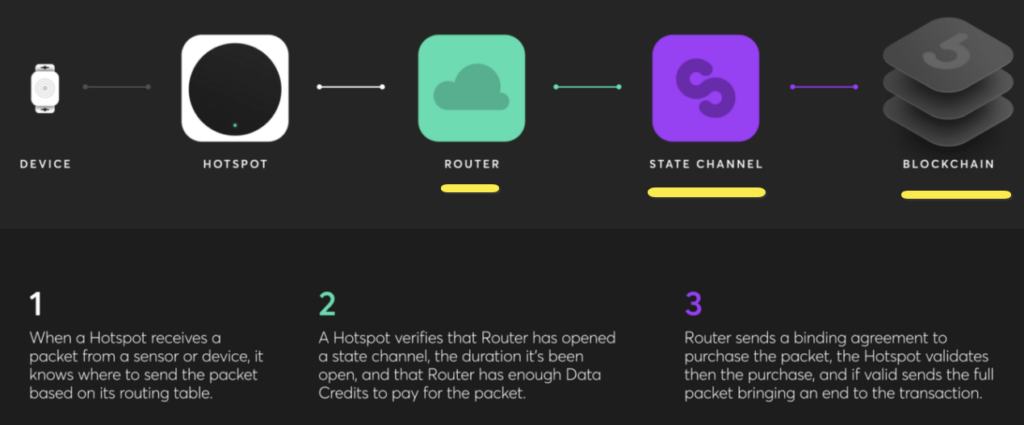
The status on Helium App / Web Page depends on the latest data received from the Helium Network. It has a delay. If your Miner’s light is green, you can just wait, the status will change to “syncing/synced” later. It’s possible that it shows offline but it’s syncing when you sync it for the first time, due to some Router / State Channel issues. Please see Why Offline / Syncing.
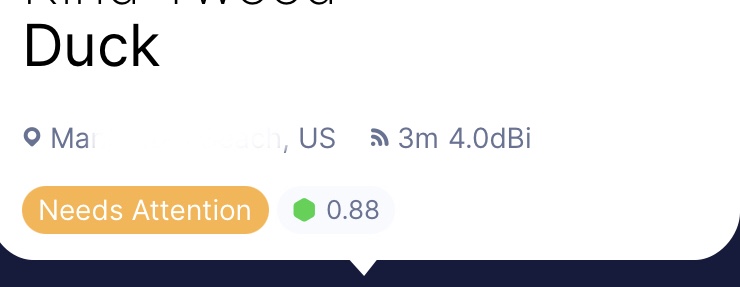
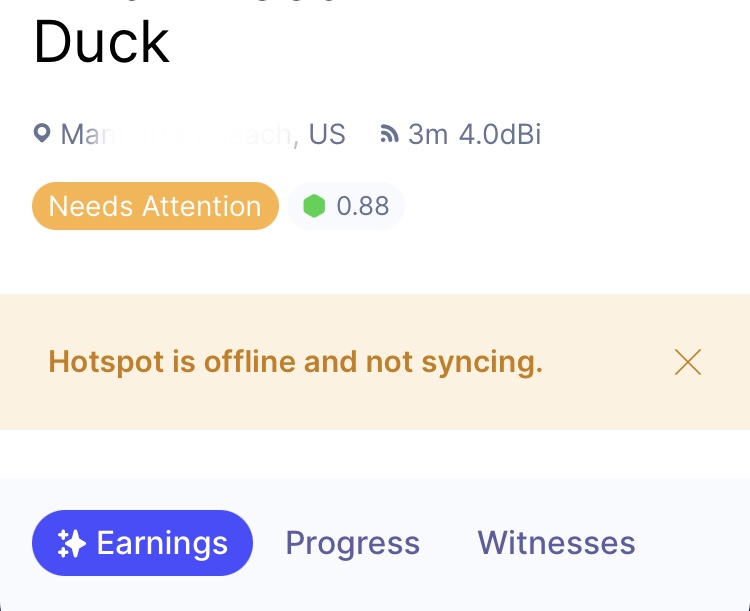
My Helium App shows “Needs Attention“
The “Needs Attention” warning is basically “Relay”/”Offline”/”Not Syncing”/”Syncing”. But it’s a delayed status. You can use Helium Hotspot Utility App to diagnose it to get latest status of your Miner.
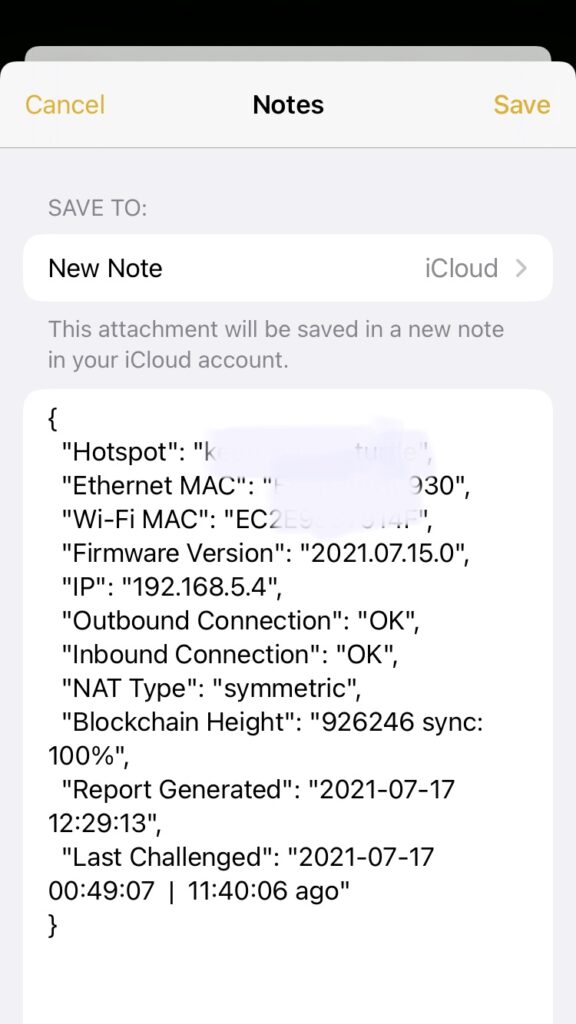
A sample report:
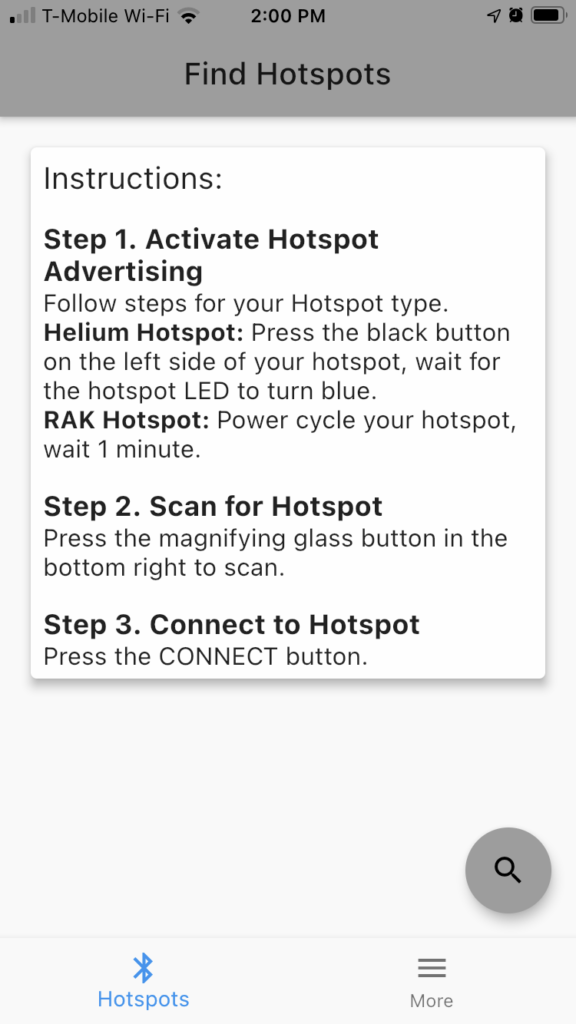
Scan 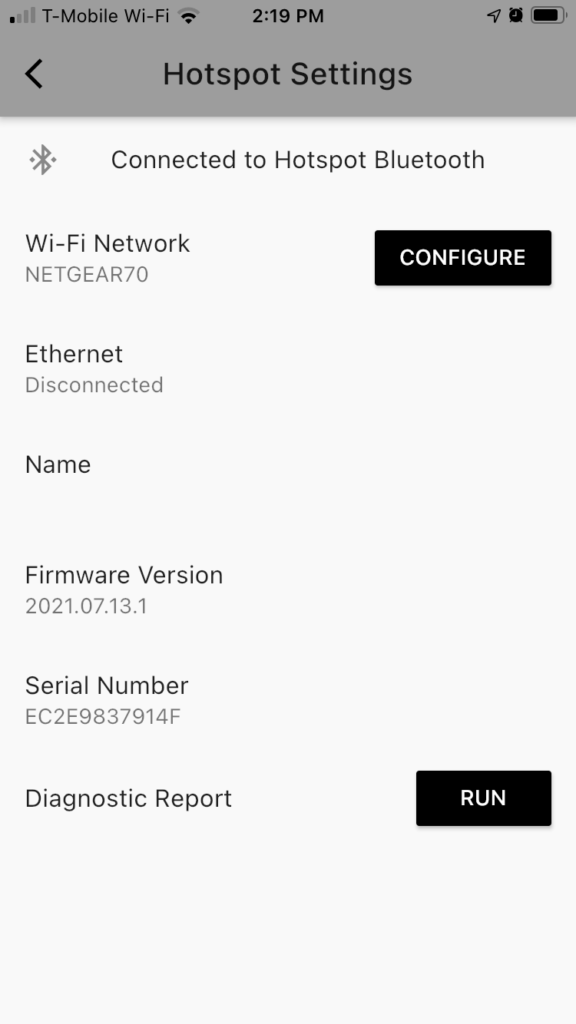
Connected 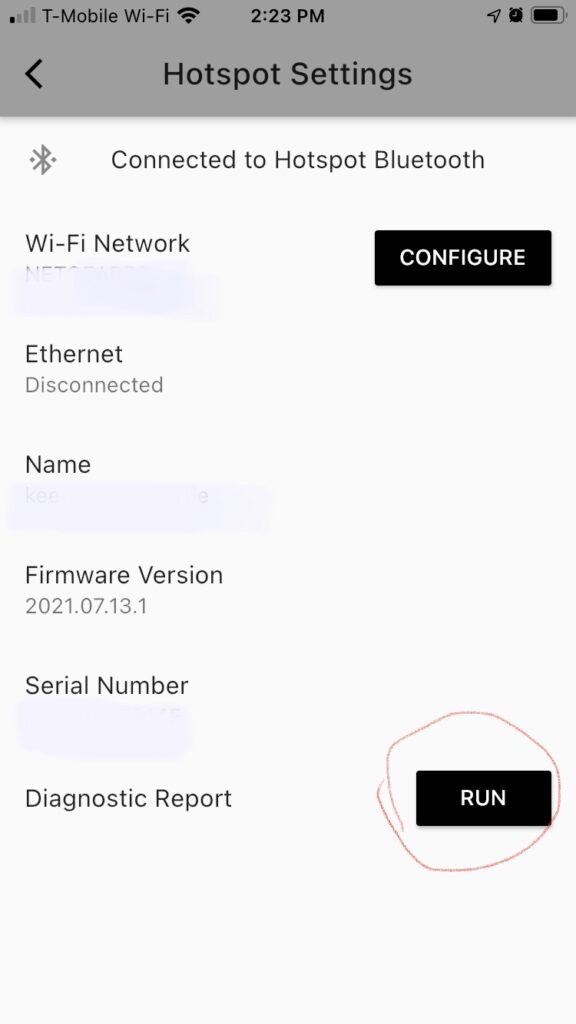
Diagnose 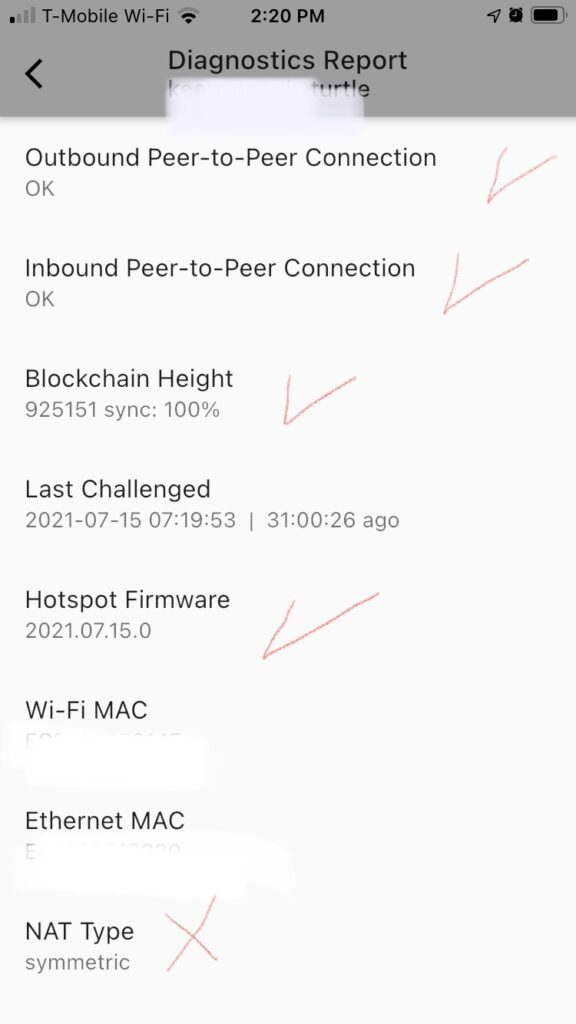
Report 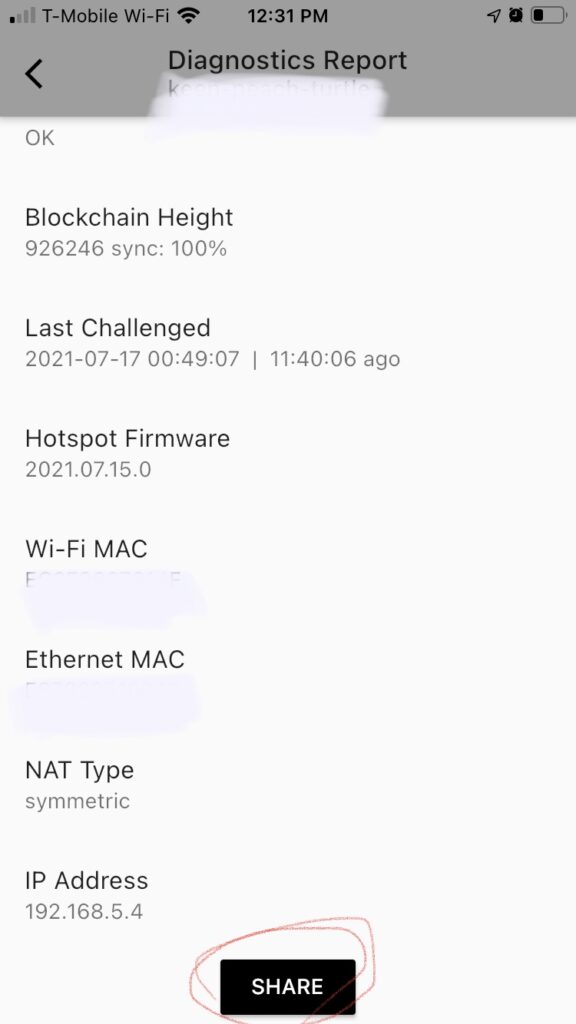
My miner STUCKED at 910,391 or some block
If your miner added recently and it stucked at 910,391, it may caused by a snapshot issue which have already had a fix. You can try to restart your Miner to trigger an update.
If it’s not 910,391, it may caused by another issue: https://github.com/helium/blockchain-core/pull/910. An Out of Memory error caused failure when loading newest snapshot (help your miner sync faster). The Miner uses about 200M meory when executing normal tasks. There was a sudden increase of memory usage when loading a big snapshot file which caused the crash. A new OTA has been released, keep your miner online can receive the newest OTA update. If it’s not working as expected, try to restart your Miner. If your Miner kept crashing (Green, Yellow and Red light kept switching in a circle) and it didn’t fix after restarting it, contact your hotspot maker.
There were some chain halt which caused many miners stopped syncing before. In this case, basically Helium had already posted announcements in both Web and App, of course Discord too.
My miner has been worked but back to syncing/offline again
There are several possibilities.
1. Your network has an issue
Take a look at the light of your Miner. If it’s RED, restart the Miner. If it’s YELLOW, test the WiFi it’s using. If it’s connecting to a Cable, connect the Cable to another device to test the Internet. If internet is OK, restart the Miner and wait until it’s back to GREEN. All these operations should be after you reserved your miner’s IP address.
The issue can also be a laggy WiFi connection.
Some have low latency, some have high.
{
  "DownloadSpeed": "5 Mbit/s",
  "UploadSpeed": "9 Mbit/s",
  "Latency": "24.621771ms"
}

{
  "DownloadSpeed": "55 Mbit/s",
  "UploadSpeed": "20 Mbit/s",
  "Latency": "85.234333ms"
}
2. The Helium Router / State Channel has big delay
Too many hotspots are joining everyday. The Helium API servers kept scaling out but sometimes it can’t catch up the speed of hotspots adding speed. In this case, it’s possible the API shows laggy height and wrong status.
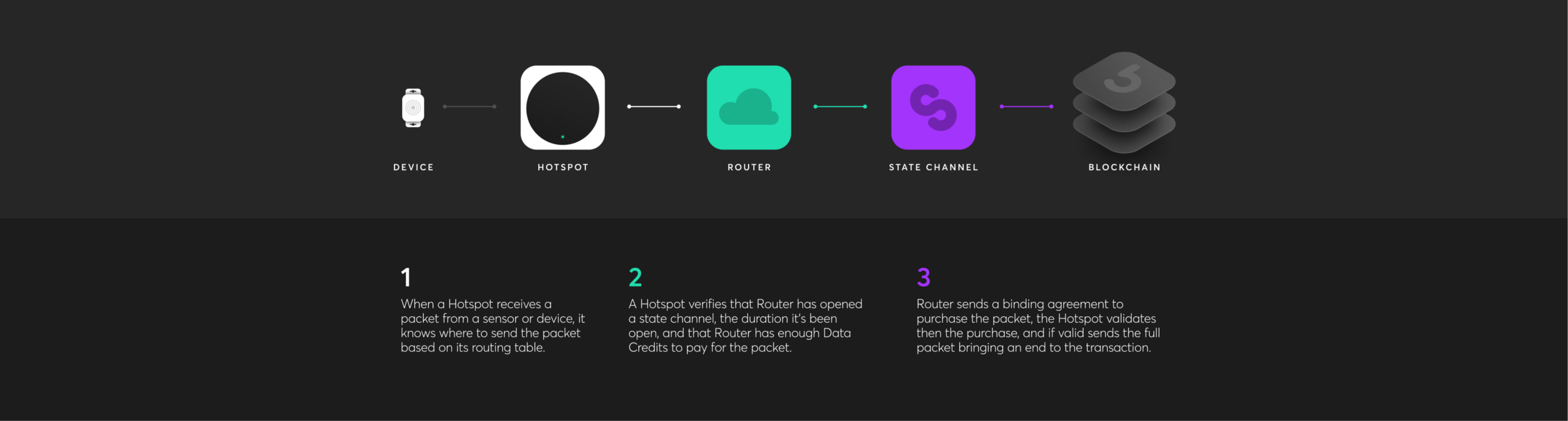
3. Blockchain goes too fast
This often happens after a chain halt. The fastest speed of producing blocks is 50 seconds. The expected block time is 60 seconds. After a chain halt, the blockchain will try to run as it’s fastest speed when possible to produce blocks. In this case, some miners may not able to catch up the speed. But the blockchain will finally back to 60s so your hotspot will also back to synced.
4. You Miner Temperature is too high
The Bobcat Miner has been tested in 60 celsius for 13 days but it not recommanded to put your Miner in hot environment. If it’s too hot, network, CPU and LoRa performance maybe affected which can also cause bad performance.
The explorer shows Synced, but the App shows Syncing
There is an issue with the App constantly showing syncing, but the explorer is more accurate according to the Helium web page.
My Helium App shows an old Firmware version
Sometimes OTA can take up to 24 hours. If the firmware version still shows old version after OTA finished, there are two possiblities.
Helium App issue
If it’s an old version, uninstall Helium App and install the newest versoin. If it’s the newest version, force exit and re-enter the Helium App. If it doesn’t work, reboot your hotspot and run diagnostics.
OTA failure
If OTA failed due to network issues, reboot your Hotspot, wait for several minutes and try again. If it’s the same result, try to contact your miner maker.
Can an Offline/Syncing Hotspot Beacon/Witness?
NO. Only Synced hotspots can do beacon / witness. The API / explorer is slightly behind. Sometimes you can see a Syncing hotspot beaconing / witnessing, but it is actually fully synced. For acurate status, only by using the app diagnostics for a hotspot you own. Otherwise everything is sort of laggy.
The Bluetooth button doesn’t work
Restart your miner and try again. Sometimes it has latency.
I can’t find / found old my Bobcat via Bluetooth
Restart your miner and wait for several minutes. When the light changed to YELLOW or GREEN, try pair mode again.
If you have multiple Bobcats, it always find the first one, try to switch your phone’s Bluetooth off and on between pairings.
My Power Adapter is broken
Contact your hotspot maker to get a new one or buy 1 if you don’t want to wait. For Bobcat, you can buy a replacement on Amazon. The type is 12V 1A. Sample:

I got Onboarding Error when adding a new Miner
These errors may include:
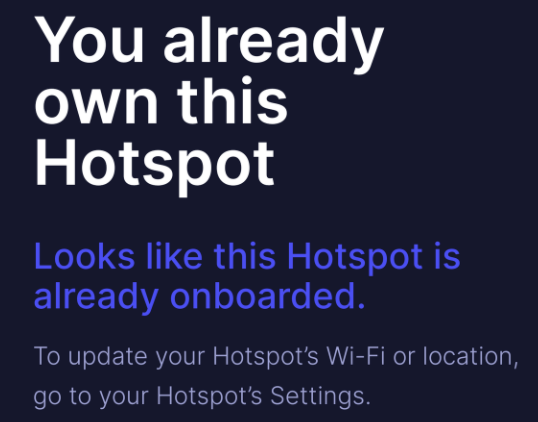
You already own this Hotspot.
I guess you are very RICH because you are adding many Miners in a row 😆 . It’s a good thing but the App is not as stable as you think 🙁 . After you finished adding the first Miner, the bluetooth is still enabled and you started to add the second one. Maybe the App will show you the first one which you’ve already added. Acutually you are trying to add the first one again. You can power off the first one after it was added OR wait for several minutes before adding the second one.
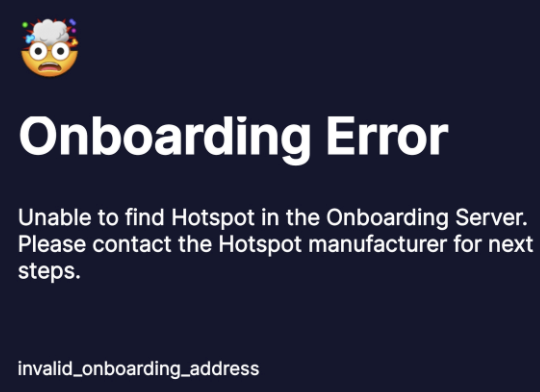
Unable to find Hotspot in the Onboarding Server.
I guess you are a Helium Network Pioneer or the hotspot miner support team was trying their best to process your order in a very high priority. In this case, maybe your Miner wasn’t from the factory product line directly. It’s from a special channel to give fastest delivery. But in that case, some onboarding MISS may happen because it’s a manual work. Bascially you need to contact your Miner support team and tell them your Mac Address, they can fix this issue.
Hotspot miner is waiting to start. Please try again in a few minutes.
After your Miner connected to the internet, it will try to get the latest update and install it. Keep it online and wait until the light becomes green. Then maye you will see the light switches between RED and GREEN several times which the Miner is restarting by itself. If you are trying to add your miner during the restarting , you will get this error.
Unable to Add Hotspot for reason: {invalid, gateway_already_active}
This is a blockchain transaction error. You Miner won’t be add to the blockchain right way. The CG/Validator need to approve the transaction which needs some time. If the Miner has already been added, you will see this error in the transaction log.
Device xxxx-xxx-xxxxx-xxxxxxxxxxx was disconnected.
This is because the Miner isn’t started. You can wait for several minutes to try again. If it’s not working after several times, maybe you need support from your Hotspot maker.
How can I open a Bobcat?
There are 4 screws in the back of the box. You can lift the cover after 4 screws removed. (Nothing else need to be removed, try hard, it’s a little bit tight.)

What’s the Bobcat Antenna Connector Type?
Bobcat & Rak is using RP SMA Female Connector (1).
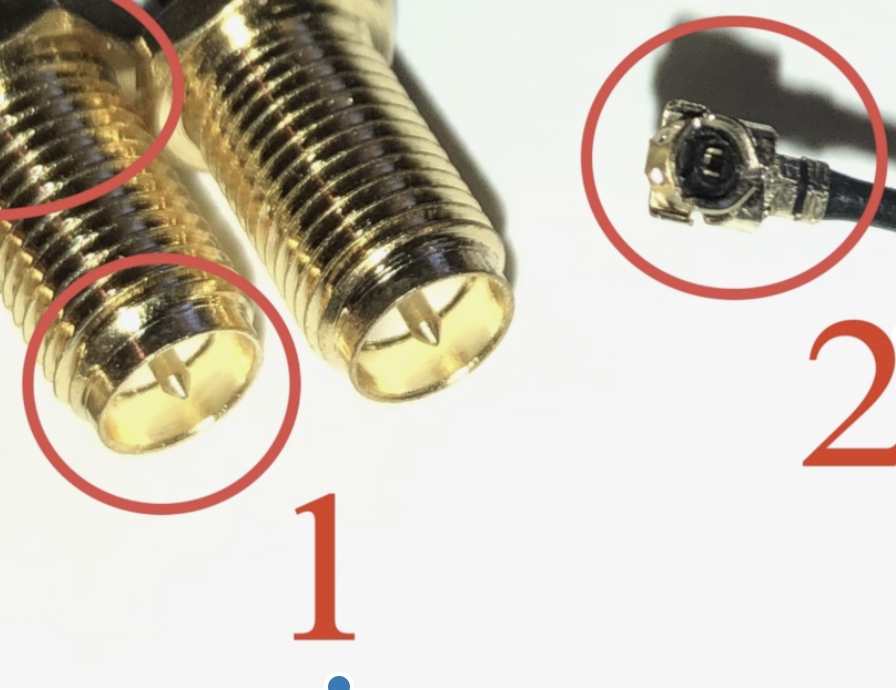
You need a RP SMA Male adapter to connect to it.
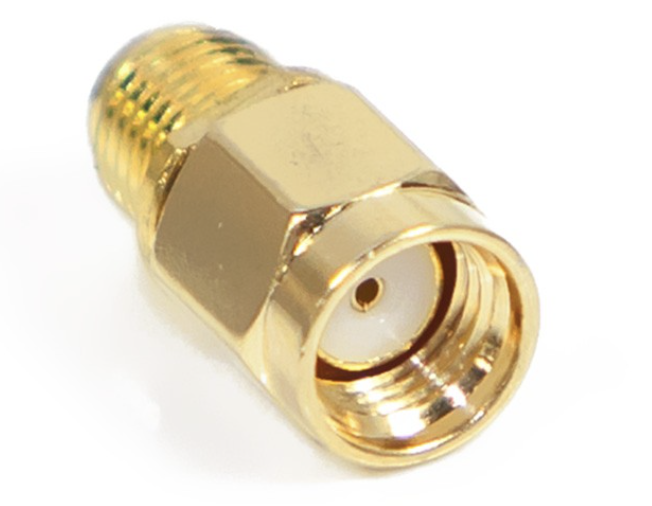
RP SMA Male 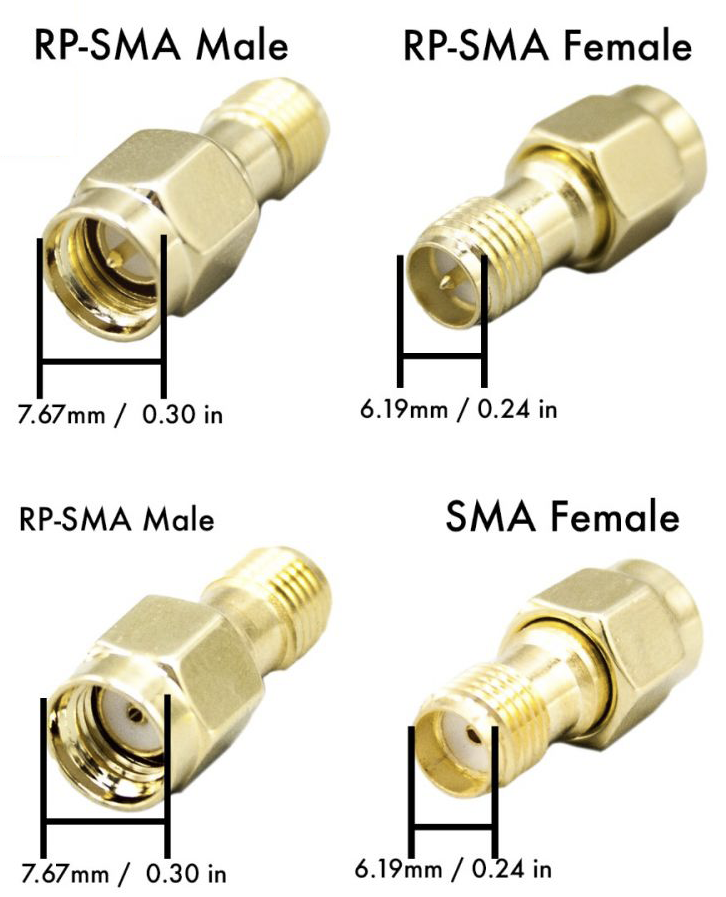
You may also need to choose N type connector to connect to your Non-stock Antenna.
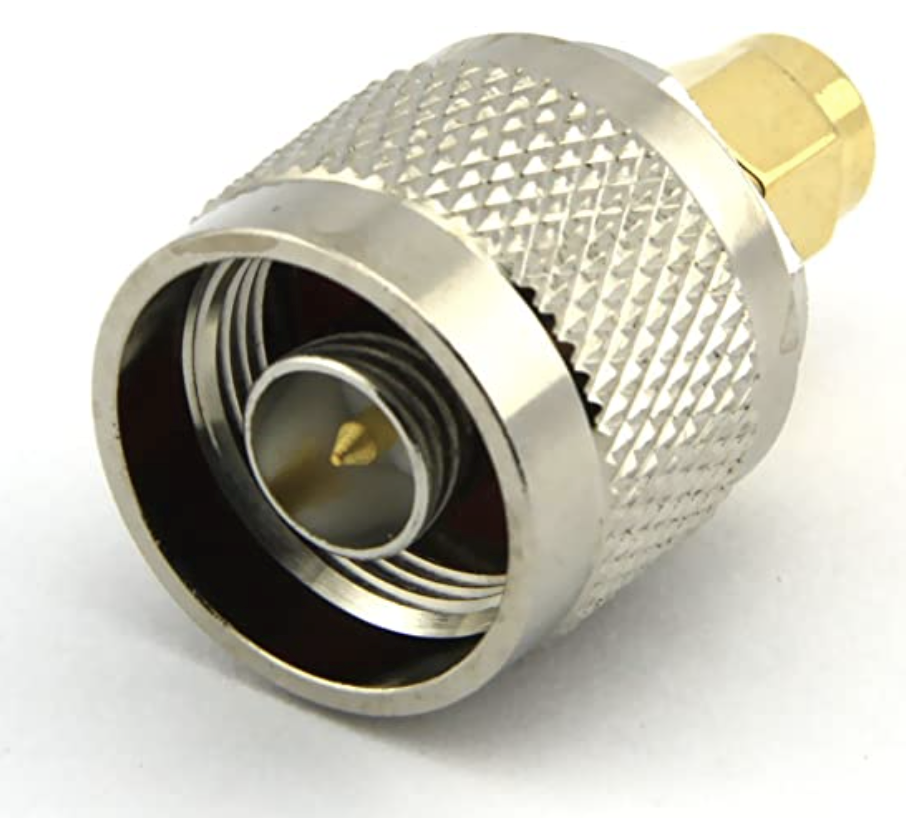
N Type Male 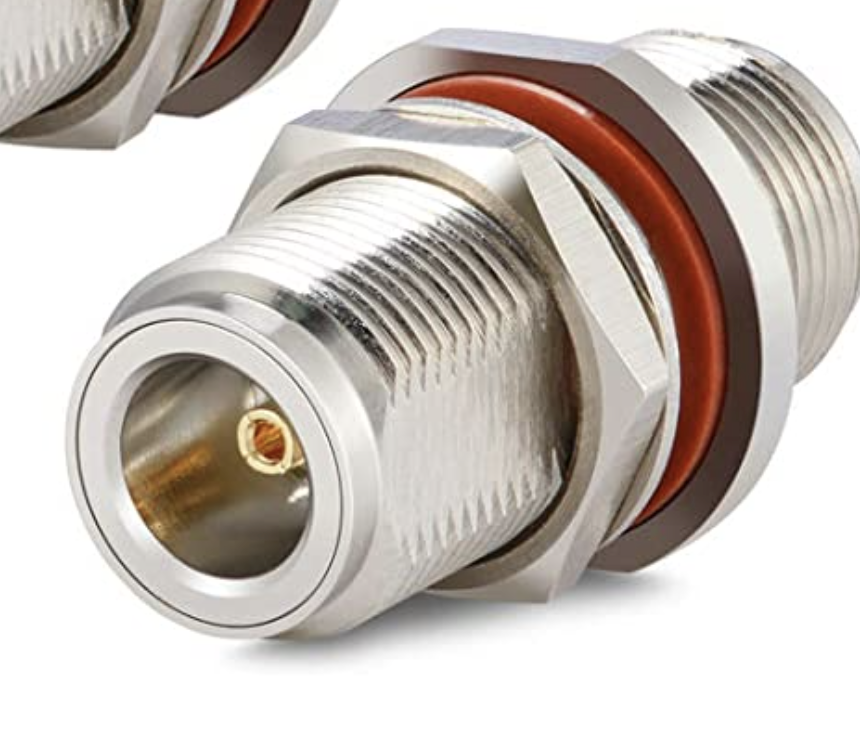
N Type Female
Why does my Beacon have NO WITNESSES?
There are several possibilities.
1. No other hotspots in your Antenna’s coverage.
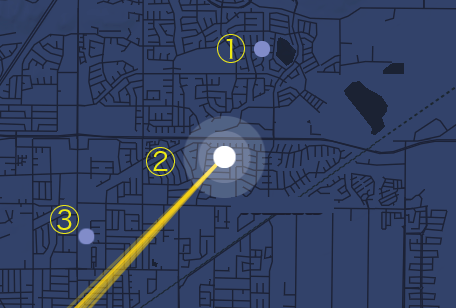
If there are only several Miners in your area, it’s possible they don’t talk with each other depending on their Antenna types. For example, in the image below, there are only 3 miners in this area. Hotspot 3 is Offline, maybe Hotspot 2 is using a Panel Antenna which only talks to futher Hotspots. In this case, Hotspot 1 will be of NO WITNESSES.
2. Your Antenna is broken.
In this case, your miner also has NO WITNESSES. See Bobcat Antenna Repair
3. Your Network has a very strict Firewall.
If your Network has a very strict firewall, your Miner won’t be able to sent out a witness receipt. Understanding Witnesses and Relayed Hotspots
Relay maybe caused by strict Firewall but not all the Relays. Some relayed hotspots can also sent out receipt but with low efficiency.


4. Maybe your Network is too slow.
I have seen some hotspots only have several kb/s speed. In this case, it can’t catch up the speed of blockchain and the activities will become strange. Some hotspots have a good download and upload speed in the test but with very big latency. The latency can be caused by your Router, ISP, etc. You can search for what can cause latency.
Why doesn’t my Miner have a Beacon?
Sometimes it’s not your side, it’s the Blockchain.
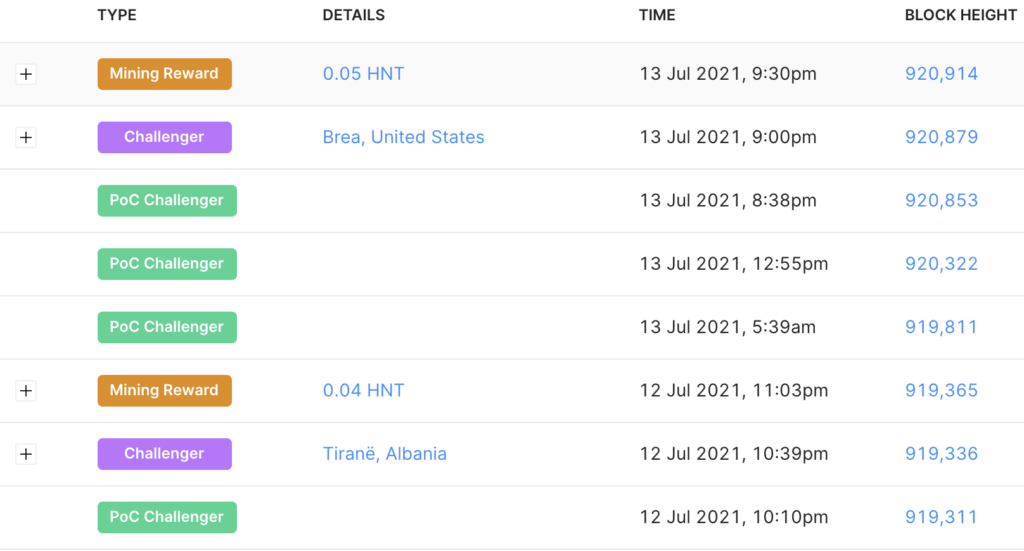
If your Miner didn’t sent out a Beacon from the beginning, maybe your Antenna / Pigtail is broken. See Bobcat Antenna Repair.
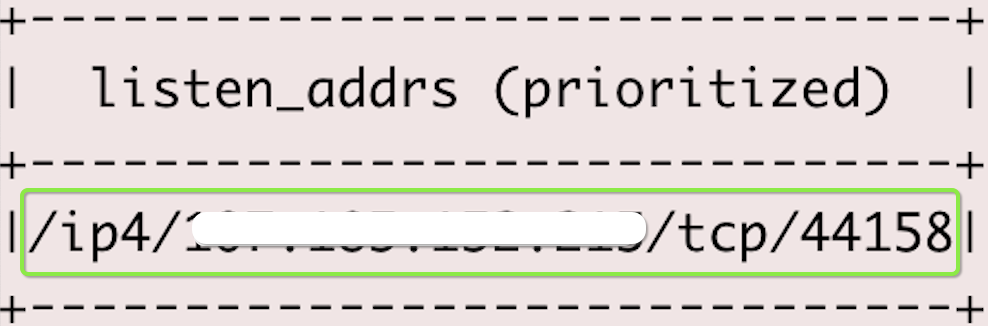
If you have had Beacons before but it disappeared recently although you still have a lot of Witnesses, it may caused by the Network Firewall even you opened port 44158. It is possible that your hotspot starts to send out beacons again after restarting / reseting your ISP modem / router, or rebooting your router.
If it disappears again after rebooting/reseting, it may caused by Packet Filter Rules which filters the packets from/to your Miner. Try to add pass rules or disable deny rules to make packets pass. See Network.
It’s also possible that your ISP company banned traffic from/to your Miner from their side. In this case, you need to change your IP address but that’s not easy. Also some routers have port forwarding issues can also cause this problem.
Your hotspot is not sending out beacons but you still have a lot of Witnesses. It is very hot and it has been connected by too many Miners. Basically in this case, I think you can give up, your witness income will be Good Enough. 😀
Why my Miner has lot of PoC Challenges without Beacons?
Why the Discovery Mode doesn’t have Hotspot response?
Discovery Mode isn’t a real simulation of beacon and witness. Sometimes it won’t work as expected. It can help you do troubleshooting but don’t rely on it.
You can try Discovery Mode at night. There is little noise at night which may give you a good result. If the Disco Mode is working and you haven’t received any response, check points below.
1. Your network doesn’t allow incoming / outgoing connections.
Look into your router, open 44158, change packet rules, etc. Sometimes restarting your router / your Miner may fix it too. See Network.
2. Your Antenna is broken, your cable isn’t connected well orthe Antenna Signal is too weak.
Try to use a “Digital Multimeter” to test your Antenna Cable & Pigtail if you have one. See Antenna.

3. All the hotspots nearby are Offline / Syncing / Relayed / Weak Signal / Using Directional Antenna. 😆
Buy more Bobcats, then build your own Online / Synced / Non-Relayed / Strong Signal / 360°C Antenna miner network.


My Antenna Pigtail is broken, how can I change it?
Can I use the Bobcat stock 4dBi Antenna outdoor?
The stock bobcat antenna is outdoor rated & waterproof.
How should I choose an Antenna?
See Antenna.
How should I choose the Cable?
There is a calculator to calculate the loss. See Antenna. LMR400 – LMR600 cable has very little loss, but is much thicker and less flexible than RG58 or LMR240 cable, making it harder to work with. SNR too clear will also cause lower HNT, so it should be combination with your Antenna, the height of your Antenna and the Location.
My daily mining HNT is very low, how can I increase it?
Good Location / High Enough / Online / Synced / Non-Relay / Strong Signal / Good Network / Lucky. That’s it.
See Tuning Your Hotspot.
How should I take care of my Hotspot?
Take care of your Cash Cow!
Don’t put it in high humidity / temperature environment. To be continued.
I lost my Bluetooth Pin
Sorry I never use it. I always put Paperclips in my wallet. 😆
How can I transfer the Hotspot?
Please see detailed instruction: https://docs.helium.com/wallets/app-wallet/transfer-hotspot/
The Hotspot must be fully synced with the location asserted, and have recent network activity for the transaction to succeed. Recent Activity is described as witness, beacon, or challenger activity in the past 1200 blocks.
Buy Bobcat Miner from the official website: https://www.bobcatminer.com.
22 replies on “Troubleshooting”
Hey love the content. Do you have anything for ‘needs attention’ this can be reported on the app or explorer page
Thanks! The “Needs attention” is basically Relay/Offline/Syncing/Some other errors, you can click it and see the details. Use the Helium Hotspot Utility App can help you get the latest status of your Miner. Sometimes it’s not a Miner issue, it’s a Router / State Channel issue See https://blog.helium.com/helium-state-channels-383ade2368d0.
http://15z.7df.myftpupload.com/troubleshooting/?ts=546678 (Added “Needs Attention” section)
Hey, thank you for your reply. The background is as follows, we were syncing two new bobcats at the same time both on Ethernet cables, both progressed well and the second one actually synced sooner than the first.
The box in question finally synced and then within an short period of time went to needs attention. I have ran diagnostics and sent report to bobcat. Peer to peer are both ‘x’ and the blockchain sync shows ‘undefined%.
We are restarted the box and left it for hours in turned off. When restarted after the power down. I have run the utility app which shows the same as the diagnostic report.
I have checked the firmware and it’s out of date to the one published by bobcat on 16.07 2021.07.15.0. (miner on 2021.07.11.0)
I have one miner in my house synced to the blockchain and working and this other one will not sync, I was syncing to them relocated it to another house
Are you using same network? Maybe it’s some network issue when downloading the newest firmware. (Failed to download the newest version and it kept rolling back to the older one) The bobcat team will help you solve the issue if no futher network issues.
Have asserted in another location and still showing offline and not syncing. Have contacted bobcat as the firmware looks out of date still. I assume there is no way to completely reset the miner?
I am trying to set up the miner keep saying that it belongs to someone else what should I do ?
Firstly, make sure you own the hotspot, not hosting it for a friend. Then download the newest Helium App, pair only 1 hotspot each time when adding it. If it still not work, try to contact your hotspot maker. If you’ve added it but it’s not showing in the list, maybe you need to wait for a while to let the CG finish the transaction. I can take a look at it if you can send the animal name to support at nowitness.org.
Hi, I see your advising to sync one box at at time, is this a new thing? As I am not sure why you can not have more than one syncing at a time
Of course you can sync multiple hotspots at the same time but when adding them to the App, you can only enable the bluetooth of one Hotspot or maybe the App will make a mistake and you can’t add your hotspot.
I ordered mine hope it comes soon. I hope the address is right. Paid for out of my coinbase.
Congratulations! You should have received an email from Bobcat if they confirmed your order.
Does the bobcat come with an 4dbi antenna
YES. it comes with a 4dbi Antenna.
Hope it comes soon.
??????
Keep it online, message forwarded to your hotspot maker.
Thanks! Now its working!!!
Hi there please help I bought a bobcat off of eBay it was listed as new but it wasn’t it had already been connected . I contacted the previous owner but he won’t transfer ownership . With nearly 100,000 hotspots now something must be in place for this situation.
Hope you can help
Martin
The owner has 12 words, if it’s lost or something, even Helium can’t restore it. You can contact eBay to help solve this issue.
Hi, I was wondering what steps I would have to take if my app is telling me “no onboarding key found”. I can’t seem to find any help on the internet about this error. Please and thank you for the help and the website!
It can be a hotspot maker setting miss. You can try again this time. It should have been solved. If you get the error again, please contact your hotspot maker.