Buy Bobcat Miner from the official website: https://www.bobcatminer.com.
The Bobcat Miner 4dbi Antenna has very good quality. If you have a good location, it’s can cover a city range distance. But when reparing Bobcat miners, I noticed some mistakes that caused the antenna to break.
WRONG OPERATIONS!
1. Connect a big third party Antenna to Bobcat directly


2. Tighten the Connector too hard


RIGHT OPERATIONS!
Always disconnect the power and connect the antena via a cable in an Easy position. Best position to connect Bobcat to the antenna cable.

How to replace a broken Pigtail?
Screwdriver used to Open Bobcat(No.6 from left):

You can lift the cover after 4 screws removed. (Nothing else need to be removed, try hard, it’s a little bit tight.)
(1). Remove the broken pigtail with a Pliers.


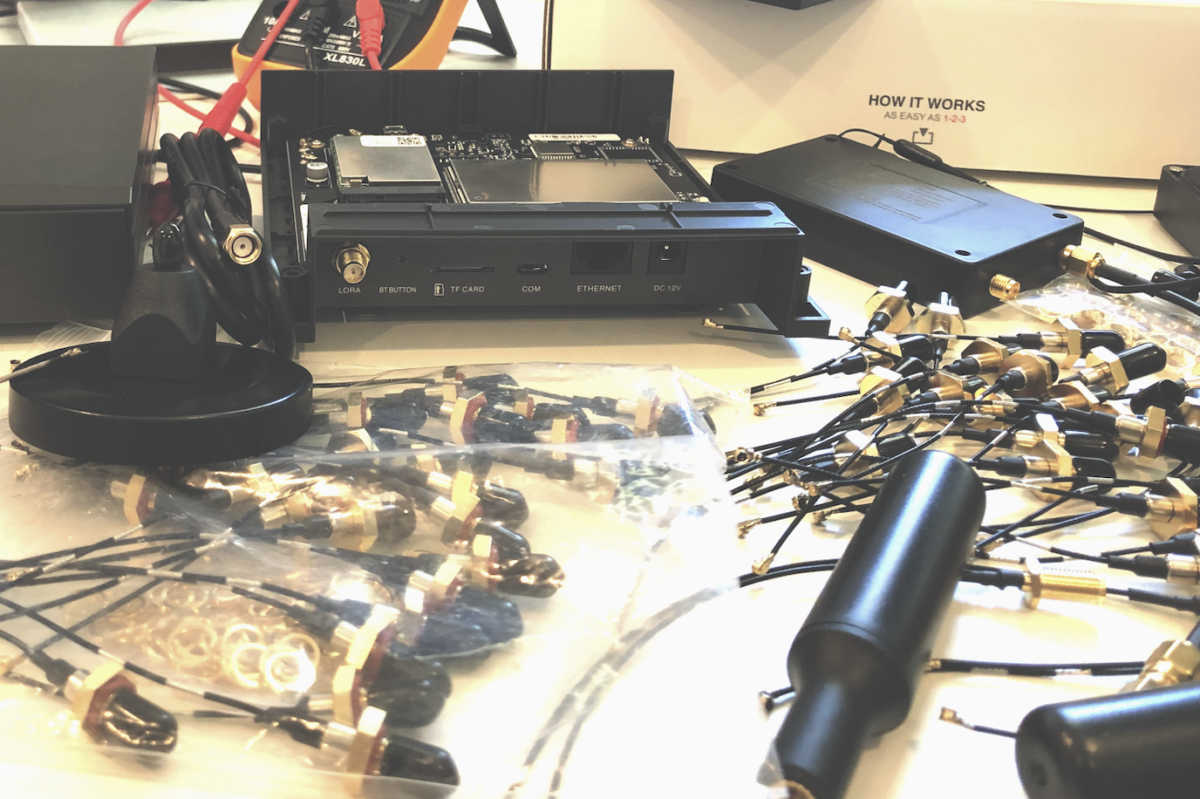
(2). Buy a “Digital Multimeter” and a “Pigtail”


(3). Use the “Digital Multimeter” to test your Antenna cable


(4). Replace the Antenna / Pigtail if it’s broken

(5). Questions
Will a Pigtail without 4, 7 above work? YES.
Why Bobcat using No.5? 3, 7, 4, 5, 6 are connected. 5 is to get better signal but it’s OK without it.
Will it work if No.6 interface is different with current Bobcat? YES, basically if it’s same as you use a converter, it 3 and 6 are connected, it should work. There isn’t a same type pigtail as Bobcat selling in US. If you want to change it by yourself, you can choose a different type, but make sure interfaces are the same.

A closer image:

As you can see in the image above, No. 3 (Bobcat official) size is bigger than No. 4 (from Amazon). In this case, after changed the pigtal, you should make it tight and connect to your Antenna carefully.
How to TEST the Antenna?
This is a little bit complex but I tried to give you the simplest way. It’s a combination of Disco Mode and a Portable Spectrum Analyzer from Amazon:

(1). Portable Spectrum Analyzer
Connect a small Antenna to HIGH of the Spectrum Analyzer and select MODE “Return to HIGH in”. Then go to FREQUENCY, set START and STOP (for US, I used 900M to 960M), you can also set CENTER to 915M. Set the RBW left side to 100kHZ.
(2). Disco Mode
Then start Discovery Mode in your Helium App to send out BEACONs from your Bobcat, then the Antenna, if your antenna works, you’ll see signals near 915M position.
This is a sample only FYI.
Buy Bobcat Miner from the official website: https://www.bobcatminer.com.
8 replies on “Antenna Repair”
As per the diagram, does 4 need to be clipped into 5? mine wasnt when i opened up and not sure if i need to click it down or not?
thanks for any help
No. Better to do that but it doesn’t matter. It works even you change it to a differnet type of Pigtail.
Thank you
I broke mine. I am a complete noob and lack understanding in the pigtail area. I see a bunch of them out there on ebay and amazon. Do you have links to what would work or some specs on what would work? Sorry if it is a dumb question.
I’ve added a tested one in the page. http://15z.7df.myftpupload.com/bobcat-antenna-repair/?refresh=788900
Is there a way to test an antenna?
Yes, but you need some tools to do it. I’ll add it to the page.
Added to the page.